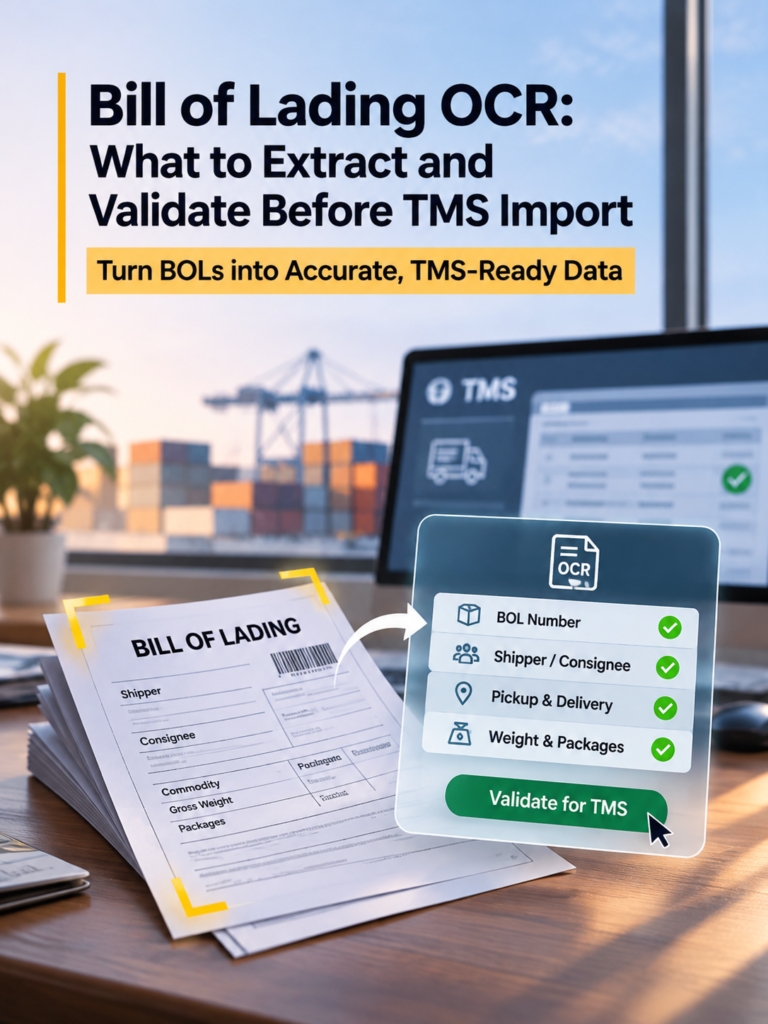
Bill of Lading OCR: What to Extract and Validate Before TMS Import
Freight teams handle bills of lading every day. However, entering data from these documents into a Transportation Management System (TMS) often takes time.
A Bill of Lading (BOL) contains important shipment details. These include reference numbers, addresses, weights, and delivery information.
Unfortunately, manual data entry can lead to mistakes. For example, an employee may enter the wrong weight or select the wrong shipment record.
Bill of Lading OCR helps solve this problem. It reads freight documents and extracts useful information. However, teams must validate that information before importing it into a TMS.
In this guide, you will learn which BOL fields to extract, how to check them, and how to prevent common errors.
What Is Bill of Lading OCR?
Bill of Lading OCR uses Optical Character Recognition to read text from scanned or image-based freight documents.
For example, a logistics team may receive a scanned BOL by email. OCR can read the document and identify its text.
However, reading text is only the first step.
A TMS needs structured information. Therefore, the extraction process must identify what each value means.
For instance, the system must distinguish between a shipper address and a delivery address.
Traditional OCR vs. AI-Powered BOL Extraction
Traditional OCR recognizes characters and words. In contrast, AI-powered extraction can also interpret document context.
The following table explains the differences.
| Feature | Traditional OCR | AI-Powered Extraction |
|---|---|---|
| Reads printed text | Yes | Yes |
| Identifies shipment fields | Requires extra processing | Can identify fields using context |
| Handles different layouts | Often needs templates | Can adapt to varied layouts |
| Creates structured data | Requires additional tools | Can produce structured fields |
| Supports validation | Requires separate rules | Can work with validation rules |
| Guarantees correct results | No | No |
AI-powered extraction can reduce manual work. However, it still requires validation.
The goal is not simply to read a BOL. The goal is to prepare reliable shipment data for your TMS.
What Data Should You Extract From a Bill of Lading?
A BOL contains several types of shipment information. However, not every document uses the same format.
For example, a trucking BOL may include freight class and pallet quantities. An ocean BOL may include container numbers and vessel details.
Therefore, teams should identify the fields they need before importing any data.
1. Shipment and Reference Numbers
Reference numbers connect documents to shipment records.
Common fields include:
- Bill of Lading Number
- Purchase Order (PO) Number
- Shipment or Load Number
- PRO Number, when available
- Booking Reference, when applicable
- Container Reference, when applicable
Validation tip: Compare each reference with existing TMS records.
For example, a BOL number may be correct but belong to another shipment.
Therefore, matching the number to the right record is essential.
2. Shipper, Consignee, and Carrier Details
These fields identify the companies involved in transportation.
Extract the following information:
- Shipper name and address
- Consignee name and address
- Carrier name
- Carrier identifiers, when provided
- Contact information, when available
Next, compare these details with existing company records.
For instance, a BOL may use a shortened customer name. However, your TMS may store the full company name.
In this situation, the system should match the existing customer instead of creating a duplicate.
3. Pickup and Delivery Information
Pickup and delivery details help teams plan shipments.
Important fields include:
- Pickup address
- Delivery address
- Pickup date
- Delivery date, when provided
- Appointment information
- Special delivery instructions
Validation tip: Confirm that each address belongs to the correct stop.
Also, compare shipment dates with the existing schedule.
A date may have the correct format but still contain the wrong information.
4. Commodity, Weight, and Package Details
Freight characteristics affect planning, handling, and billing.
Therefore, accurate extraction is important.
Common fields include:
- Commodity description
- Gross weight
- Weight unit
- Pallet count
- Carton or package count
- Package type
- Freight class, when applicable
- NMFC information, when provided
- Hazardous-material information, when applicable
Validation tip: Keep different packaging units separate.
For example, a shipment may contain three pallets and 60 cartons.
However, this does not mean the shipment contains 63 packages. The pallets may already contain those cartons.
Therefore, the system should preserve both values.
5. Freight Terms and Special Instructions
Some BOLs include additional transportation requirements.
These may include:
- Prepaid or collect freight terms
- Third-party billing details
- Declared value, when provided
- Temperature requirements
- Handling instructions
- Delivery restrictions
However, these fields may not appear on every document.
If important information is missing, the workflow should flag it for review.
It should not guess the missing value.
6. Ocean Freight-Specific Information
Ocean BOLs often contain additional fields.
These include:
- Master or House BOL Number
- Vessel and Voyage Number
- Port of Loading
- Port of Discharge
- Place of Receipt
- Place of Delivery
- Container Number
- Seal Number
- Container Type
- Shipped-on-Board Date, when provided
Container numbers require careful validation.
For example, one incorrect character can prevent a container from matching its shipment record.
The Bureau International des Containers (BIC) explains the international container identification structure.
This structure includes an owner code, equipment category identifier, serial number, and check digit.
Therefore, checking container identifiers can help detect errors before import.
How to Validate BOL Data Before TMS Import
OCR can extract information quickly. However, the extracted values may contain errors.
Therefore, teams should validate the information before updating shipment records.
The following checks help reduce common problems.
Check 1: Confirm Required Fields
First, identify the fields your TMS requires.
For example, creating a shipment may require more information than attaching a document to an existing load.
Next, check whether those fields are present.
If a required value is missing, flag it for review.
Check 2: Check Field Formats
Next, verify that extracted values use the correct formats.
For example:
- Dates should use recognized formats.
- Weight fields should contain valid numbers.
- Measurement units should be clear.
- Reference numbers should follow configured rules.
- Container identifiers should meet applicable requirements.
However, correct formatting does not guarantee correct shipment information.
Check 3: Verify Shipment Consistency
Now, check whether the extracted values make sense.
For example:
- Shipment weight should not be negative.
- Pickup and delivery addresses should not be reversed.
- Pallet counts should remain separate from carton counts.
- Delivery dates should match the shipment timeline.
- Commodity details should belong to the correct load.
These checks can reveal problems that OCR alone may miss.
Check 4: Compare Data With Existing TMS Records
Next, compare the extracted information with available shipment records.
Important fields include:
- Shipment or load number
- Customer and carrier
- Origin and destination
- Pickup and delivery dates
- Weight and commodity
- Shipment references
For example, the BOL may show a different weight from the existing TMS record.
However, this does not always mean the BOL is wrong.
The shipment may have changed. Therefore, the team should investigate the difference before updating the record.
Check 5: Prevent Duplicate Records
A single BOL may arrive more than once.
For example, a broker may receive a PDF by email. Later, the driver may send another scanned copy.
Without duplicate checks, both documents could trigger the same update.
Therefore, the workflow should check existing shipment references before importing information.
Check 6: Review Uncertain Information
Some BOLs are difficult to read.
Common problems include:
- Handwritten corrections
- Blurred text
- Low-quality scans
- Missing pages
- Overlapping stamps
- Conflicting values
In these situations, human review is important.
A successful OCR extraction does not always mean the information is ready for import.
7 Common Bill of Lading OCR Errors
Even a small extraction mistake can create operational problems.
For example, an incorrect reference number may connect a document to the wrong shipment.
The following table shows seven common errors and their possible effects.
| OCR Error | Potential Problem | Recommended Check |
|---|---|---|
FG-1028 becomes FG-102B | Wrong shipment reference | Compare with source document |
18,500 lb becomes 18,500 kg | Incorrect weight | Check measurement units |
| 3 pallets and 60 cartons become 63 packages | Incorrect quantity | Separate packaging units |
| Pickup and delivery addresses are reversed | Wrong shipment stops | Compare with TMS records |
11/20/2026 becomes 11/02/2026 | Scheduling error | Verify the original date |
| An existing BOL is imported again | Duplicate information | Check shipment references |
| A handwritten correction is missed | Outdated information | Review document changes |
These examples are illustrative.
They show why teams should check individual fields instead of relying only on overall OCR accuracy.
From BOL PDF to TMS: A Step-by-Step Workflow
A reliable BOL workflow includes several stages.
First, the system receives the document. Next, it extracts and validates the information. Finally, it sends approved data to the TMS.
Step 1: Receive the BOL
Start by collecting documents from supported sources.
These may include email attachments, PDF uploads, scanned files, and connected systems.
Next, identify the document type.
For example, a BOL and a Proof of Delivery (POD) serve different purposes.
Therefore, they should not use identical extraction rules.
Step 2: Extract Shipment Fields
The system reads the document and identifies relevant values.
These may include:
- Shipment references
- Company names
- Addresses
- Dates
- Weights
- Commodity details
- Package quantities
Next, the system organizes the information into structured fields.
Step 3: Normalize the Data
Different documents may use different formats.
For example, one BOL may show weight in pounds. Another may use kilograms.
Therefore, the workflow should standardize values when the receiving system requires it.
However, normalization must preserve the original meaning.
Step 4: Validate the Information
Next, apply the required validation rules.
Check field formats, missing values, shipment consistency, and possible duplicates.
Also, compare important values with existing records when available.
Step 5: Review Exceptions
Some documents may contain uncertain or conflicting information.
For example, a BOL may show a different weight from the existing shipment record.
In this case, the workflow should flag the difference.
A reviewer can then check the original document before approving an update.
Step 6: Map Fields to the TMS
After validation, connect each extracted field to its destination.
For example:
| BOL Field | Example TMS Field |
|---|---|
| BOL Number | Shipment Reference |
| Shipper | Origin Party |
| Consignee | Destination Party |
| Pickup Address | Origin Stop |
| Delivery Address | Destination Stop |
| Gross Weight | Shipment Weight |
| Commodity | Commodity Details |
| Package Count | Package Information |
However, field names vary between TMS platforms.
Therefore, teams should confirm the correct mapping before import.
Step 7: Import and Verify
Finally, send approved information through the configured integration.
Afterward, confirm that the correct record was created or updated.
This final check is important because a successful import response does not always guarantee correct field mapping.
Practical Example: Validating a BOL Before Import
Consider a hypothetical trucking shipment.
The BOL contains the following information:
| Field | Extracted Value |
|---|---|
| BOL Number | BOL-45821 |
| Shipper | ABC Distribution, Dallas, TX |
| Consignee | Northside Retail, Atlanta, GA |
| Pickup Date | November 20, 2026 |
| Delivery Date | November 22, 2026 |
| Commodity | Packaged Consumer Goods |
| Gross Weight | 24,000 lb |
| Handling Units | 12 pallets |
| Carton Count | 480 cartons |
The extraction system identifies these values.
However, the existing TMS record shows a shipment weight of 22,000 lb.
Should the system automatically replace that value?
No. The difference requires validation first.
For example, the original weight may have been an estimate. Alternatively, the BOL may contain an extraction error.
Therefore, the team should compare both records and confirm the correct value.
Once the difference is resolved, the system can follow the approved update process.
This example highlights an important principle.
Document automation should help teams move reliable information, not simply move information faster.
When Should a Human Review BOL OCR Results?
Not every document requires manual review.
However, some situations need human judgment.
| Document Condition | Recommended Action |
|---|---|
| All required fields pass validation | Continue under approved rules |
| Important reference is missing | Request review |
| Weight conflicts with existing data | Investigate the difference |
| Possible duplicate is detected | Check existing records |
| Critical field is unclear | Review the original BOL |
| Handwritten correction changes shipment data | Confirm the amendment |
| TMS rejects the import | Investigate the failure |
Therefore, a good workflow should focus manual review on exceptions.
This approach can reduce repetitive work while keeping important decisions under human control.
Bill of Lading OCR Validation Checklist
Before importing BOL data, review the following checklist.
Document Identification
- Confirm that the document is a BOL.
- Extract the correct shipment reference.
- Match the document to the intended shipment.
- Check for duplicate documents.
Shipment Information
- Confirm shipper and consignee details.
- Verify pickup and delivery locations.
- Check shipment dates.
- Review commodity information.
- Confirm weight and measurement units.
- Keep pallet and package quantities separate.
TMS Import
- Confirm that required fields are present.
- Compare critical values with existing records.
- Flag missing or conflicting information.
- Check field mapping.
- Prevent unintended duplicate records.
- Verify the final import result.
Teams should adapt this checklist to their TMS and transportation workflows.
How to Choose a BOL OCR Tool for Your TMS
Choosing the right OCR tool requires more than testing whether it can read a PDF.
Instead, teams should evaluate the complete document-processing workflow.
1. Document Compatibility
First, check which document formats the tool supports.
For example, test scanned BOLs, PDF attachments, and documents from different carriers.
Also, include low-quality files in your evaluation.
2. Field-Level Accuracy
Next, measure the accuracy of individual shipment fields.
Focus on reference numbers, addresses, dates, weights, and package quantities.
These fields can directly affect shipment records.
3. Validation Features
A useful tool should support validation rules.
For example, it should help identify missing values, inconsistent information, and potential duplicates.
Also, check how the system handles uncertain extraction results.
4. TMS Integration
Next, evaluate how the extracted information reaches your existing system.
Ask these questions:
- Can the tool map fields to the correct TMS records?
- Can it identify existing shipments?
- How does it handle duplicate information?
- What happens when an import fails?
- Can users verify the final result?
5. Operational Costs
Finally, consider the full processing cost.
This includes software fees, manual review, corrections, and integration maintenance.
A low document-processing price may not represent the lowest total cost.
6. Testing With Real Documents
Before choosing a solution, test it with representative BOLs.
Measure:
- Field-level extraction accuracy
- Documents requiring manual review
- Time spent correcting errors
- Successful TMS imports
- Duplicate or incorrect records
- Total processing time
These results can help teams compare solutions using their own operational needs.
How FreightGraph AutoFill Supports BOL Data Processing
FreightGraph AutoFill helps logistics teams reduce manual freight data entry.
It processes freight documents and emails, then turns relevant information into structured data.
Supported document workflows include BOLs, PODs, rate confirmations, invoices, and other freight paperwork.
In addition, AutoFill supports validation and exception-review workflows. These steps help teams identify information that needs attention before it moves downstream.
For example, a BOL may contain a missing reference number or conflicting shipment details.
Instead of relying only on extracted text, teams can use document-processing workflows that support review and correction.
As a result, logistics operators can spend less time on repetitive typing and more time managing shipment exceptions.
Explore FreightGraph AutoFill to learn how AI-powered freight document processing can support your existing logistics systems.
Frequently Asked Questions About Bill of Lading OCR
Can OCR extract data from scanned Bills of Lading?
Yes. OCR can read text from scanned BOLs.
However, extraction quality depends on the document layout, image quality, and technology used.
What information should BOL OCR extract?
Common fields include BOL numbers, shipper details, consignee details, addresses, weights, and package quantities.
However, required fields depend on the shipment and TMS.
Can BOL OCR automatically enter data into a TMS?
Yes, when OCR is part of a connected automation workflow.
However, reliable import also requires structured extraction, validation, and field mapping.
How accurate is AI-powered BOL extraction?
Accuracy depends on document quality, field complexity, and the extraction system.
Therefore, teams should test software using their own documents.
What happens when OCR extracts incorrect information?
Validation rules can help identify errors.
Next, the workflow can flag uncertain or conflicting values for review.
Is BOL OCR useful for freight brokers and 3PLs?
Yes. Brokers and 3PLs often process documents from multiple carriers and customers.
Therefore, structured extraction can help reduce repetitive data entry.
What Is the Difference Between BOL OCR and BOL Automation?
BOL OCR reads document text.
In contrast, BOL automation can include document intake, extraction, validation, review, and TMS integration.
Final Thoughts: Extract, Validate, Then Import
Bill of Lading OCR can help logistics teams reduce manual data entry.
However, successful document automation requires more than text recognition.
First, teams must extract the correct shipment fields. Next, they must validate the information and resolve important exceptions.
Finally, they can import approved data into the correct TMS records.
The goal is simple: get the right information into the right shipment record, with less manual effort and fewer avoidable errors.
FreightGraph AutoFill supports this document-to-record approach by helping logistics teams process freight paperwork and prepare structured information for existing workflows.